Plugins
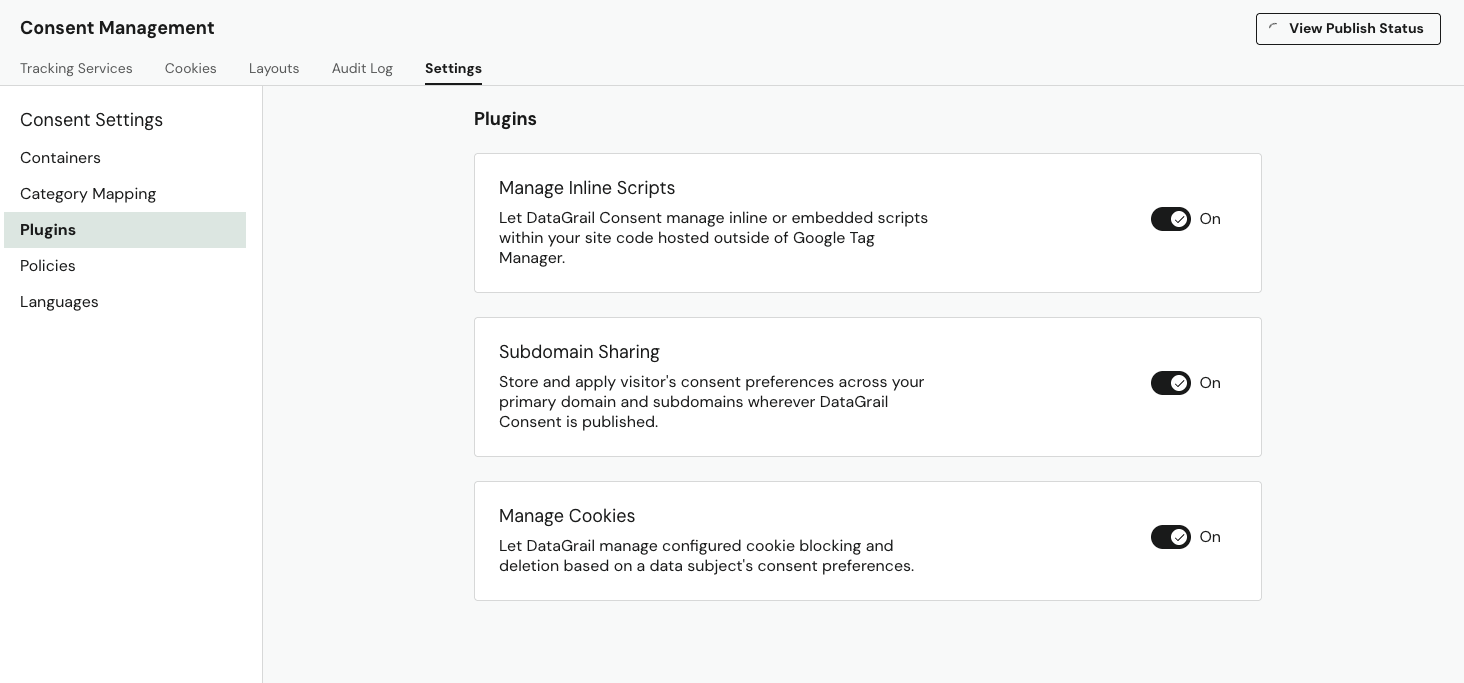
DataGrail offers a set of plugins that extend your Consent experience and provide additional functionality. Plugins can be found under Consent Management, Settings, and Plugins.
Manage Local And Session Storage
Default Behavior: Disabled
Beyond cookies, modern browsers support additional storage mechanisms that websites use to store and retrieve data about users. Local storage persists data even after the browser is closed, while session storage maintains data only for the duration of the page session.
Enabling the Manage Local/Session Storage option allows DataGrail to block and delete local and session storage based on the Data Subject's consent preferences.
This plugin reads from the same cookie rules configured in your Cookie Management settings. When a storage item matches a blocked rule, DataGrail will prevent the storage from being set and remove any existing entries from the browser.
Manage Inline Scripts (ScriptControl)
Default Behavior: Enabled
Toggling the Manage Inline Scripts option allows DataGrail control inline and embedded scripts hosted outside of Google Tag Manager.
Subdomain Sharing
Default Behavior: Disabled
DataGrail offers subdomain sharing of consent preferences for all domains where DataGrail Consent is present. This means customers who make a preference on shop.company.com will have their preferences synced and honored, for example, on marketing.company.com and company.com as well.
Enable subdomain sharing across all containers by toggling the Subdomain Sharing option.
When subdomain sharing is enabled, DataGrail Consent will not function on domains included in the Public Suffix List.
The Public Suffix List is a security mechanism that prevents "supercookies" from being set on high-level domain suffixes like vercel.app, github.io, or s3.amazonaws.com. This is a general internet limitation, not a DataGrail restriction - no service can set cookies on public suffix domains in a way that would share data across unrelated subdomains.
If you are hosting your site on a public suffix domain (e.g., yourcompany.vercel.app) and want to utilize this feature, you must use a custom domain for DataGrail Consent to function properly.
Manage Cookies
Default Behavior: Enabled
Toggling the Manage Cookies option allows DataGrail to block cookies based on the Data Subject's consent preferences.
Disclaimer: The information contained in this message does not constitute as legal advice. We would advise seeking professional counsel before acting on or interpreting any material.