Integrating PandaDoc
DataGrail’s PandaDoc Integration provides data mapping and privacy request functionality allowing your business to do the following:
- Identify Data Subject PII stored in PandaDoc for automatic fulfillment of privacy requests.
- Delete Data Subject PII stored in PandaDoc for automatic fulfillment of privacy requests.
**Note: if you do not have admin rights in PandaDoc you will not be able to complete this integration. Please contact your Alchemer Admin for assistance.
Step 1: Get PandaDoc API Key
-
Log in to your PandaDoc account.
-
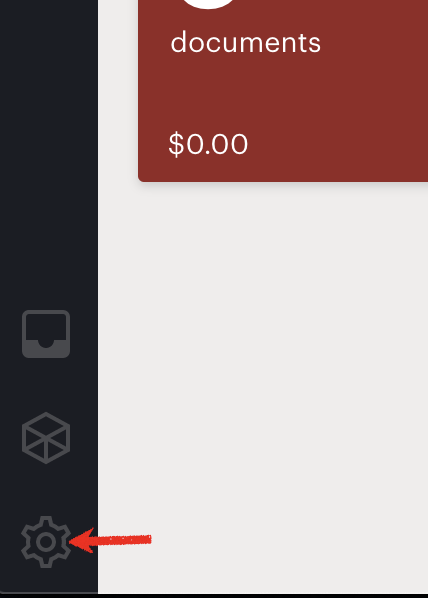
Click on the gear icon on bottom left.
-
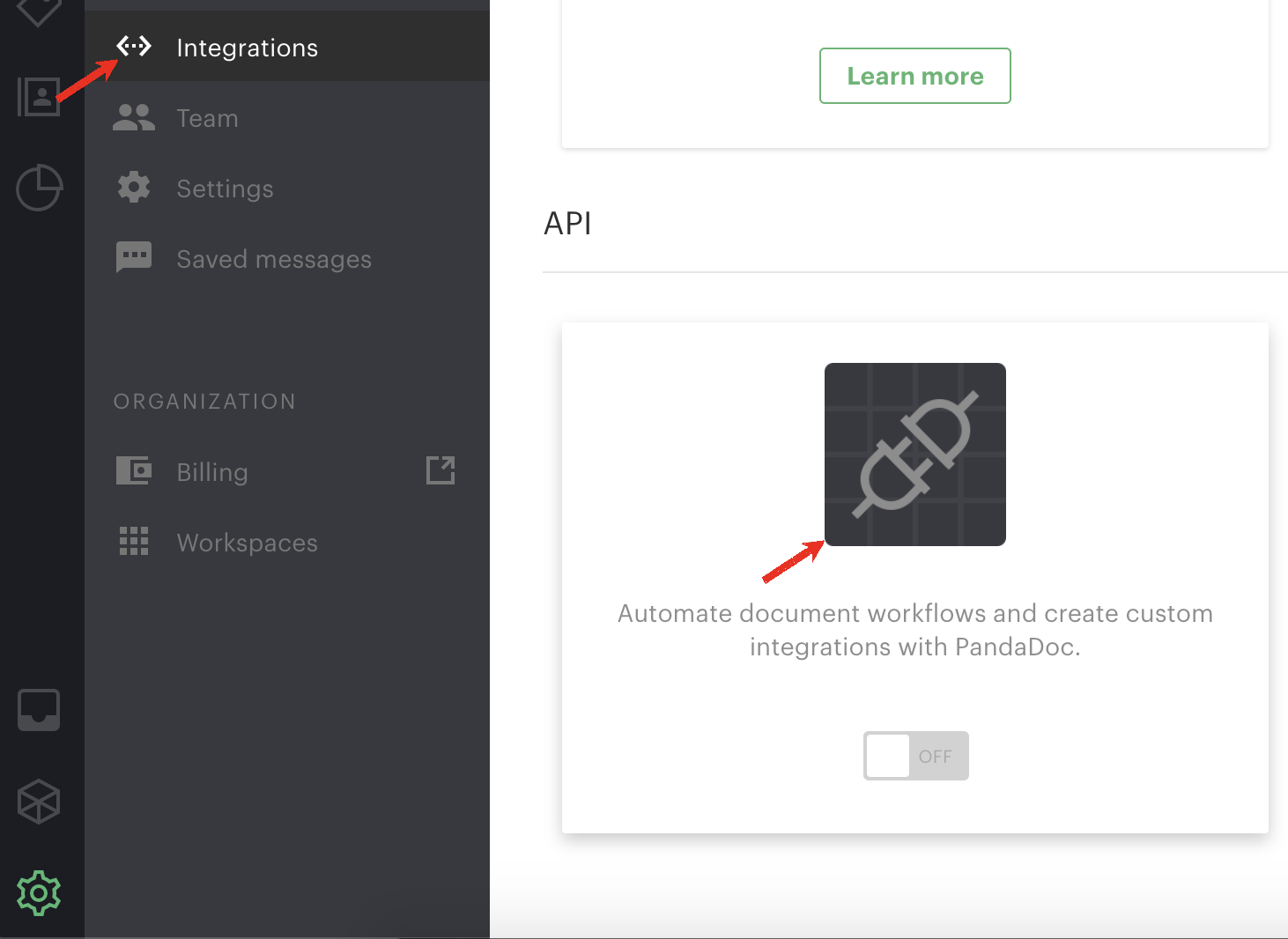
Select Integrations from the opened menu, scroll down to the API section and click on the icon.
-
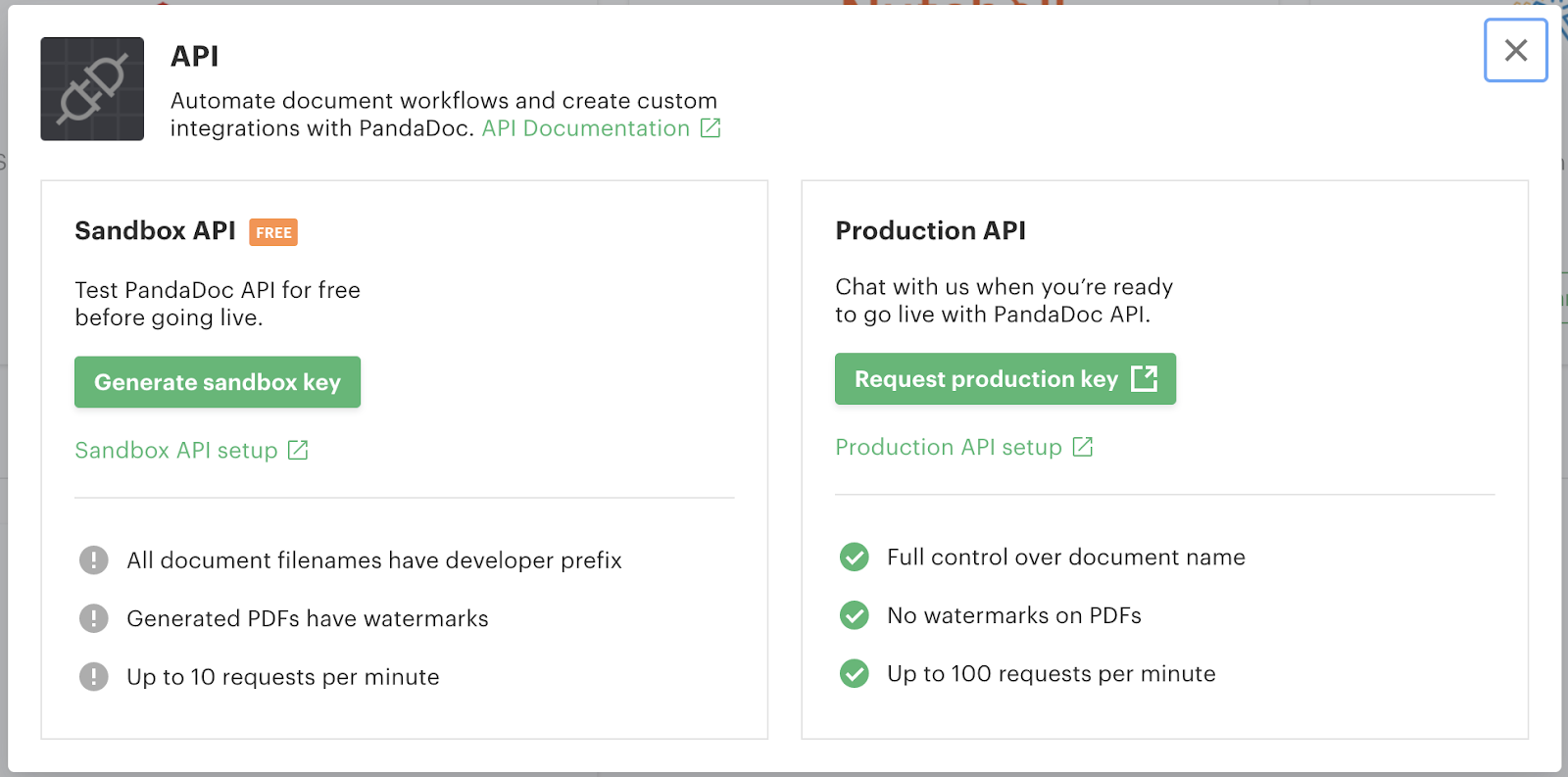
Request a Production API key. Copy and keep the obtained key securely.
Step 2: Connect PandaDoc
-
Login to to DataGrail.
-
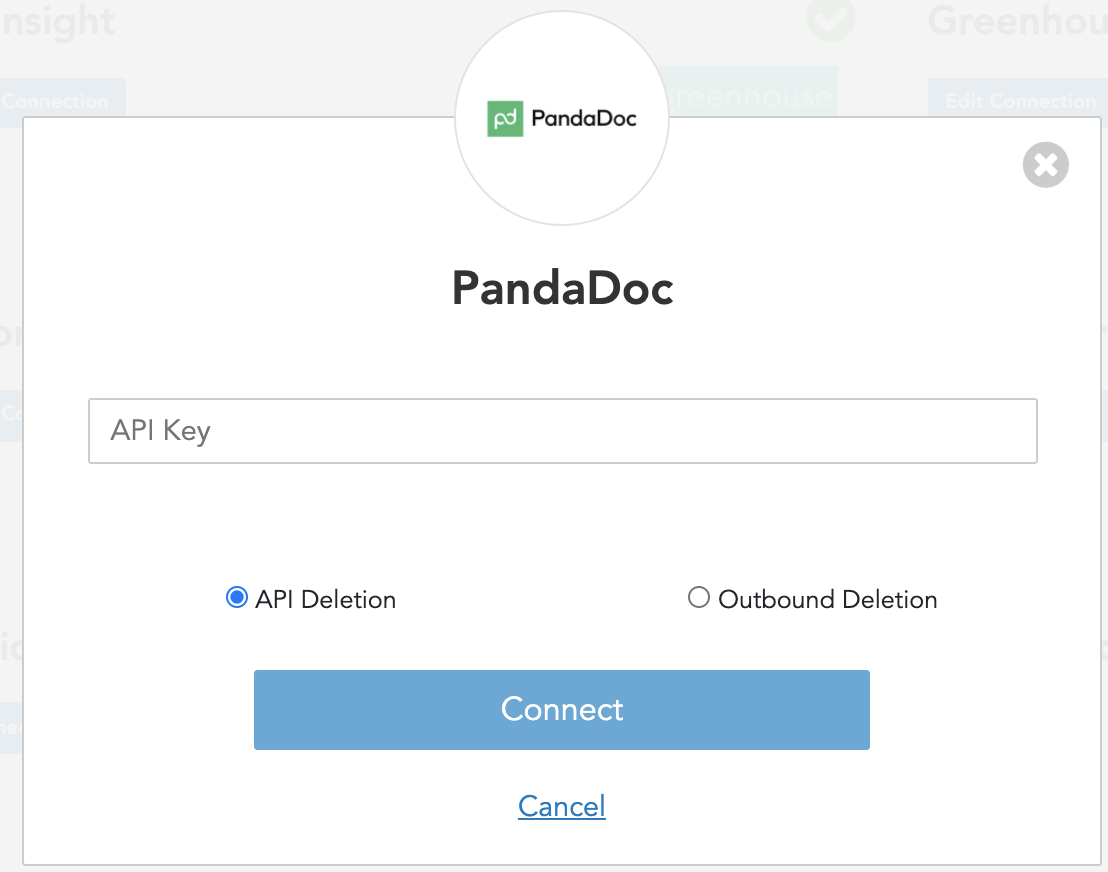
Click Connect within the Integrations page for PandaDoc.

-
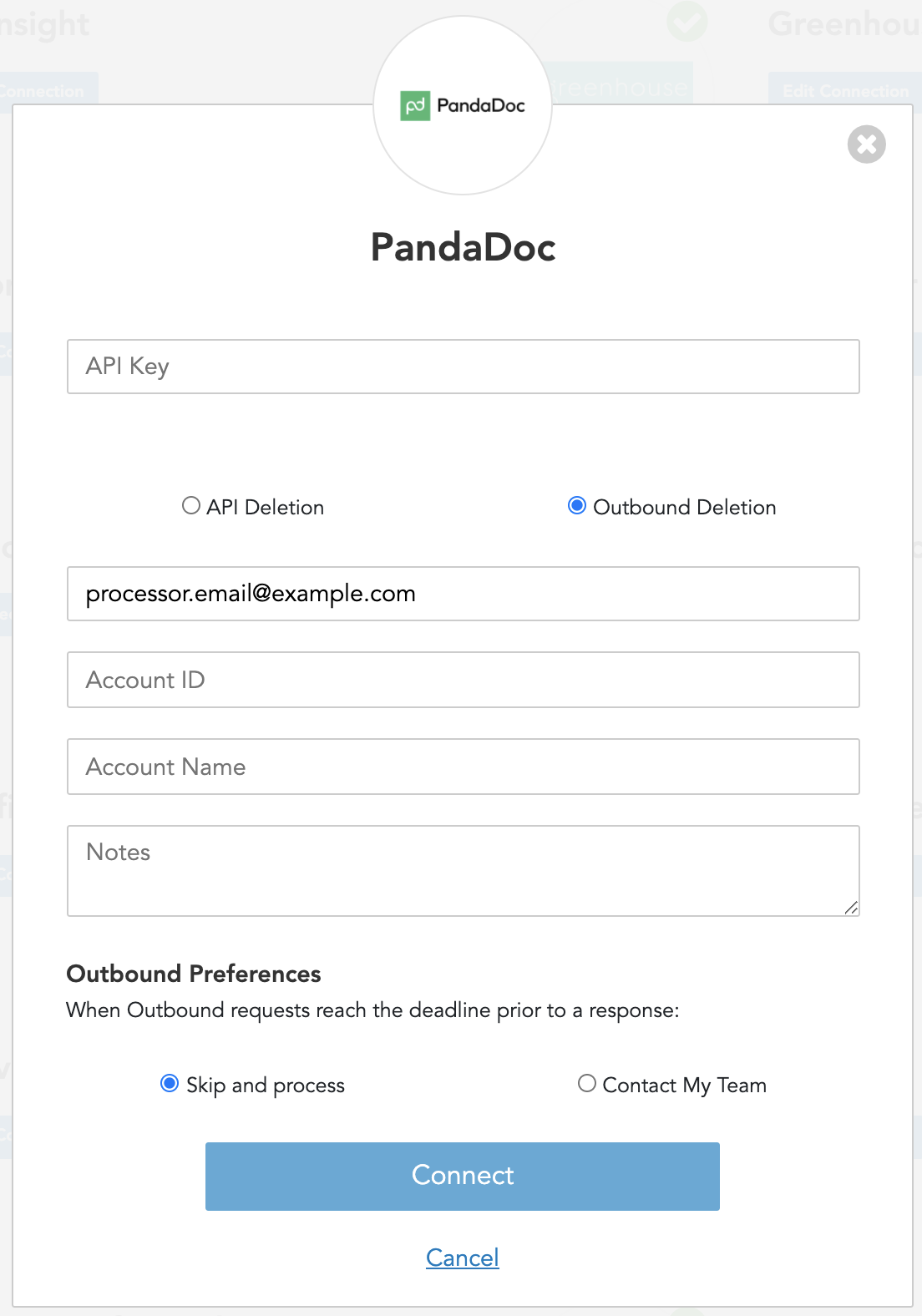
Enter API Key obtained from Step 1.
-
Add your PandaDoc Internal System Owner email as Processor Email (this is the email that will receive the privacy request to execute the deletion). Optionally, you can also add additional information to help complete privacy request:
-
Account ID: your Account ID in the system
-
Account Name: your Account Name in the system
-
Notes: any notes with instructions on how to proceed with the request internally
-
-
Click Connect.

-
If there are additional PandaDoc accounts to integrate follow these instructions:
-
Click Edit Connection within the Integrations page for PandaDoc.

-
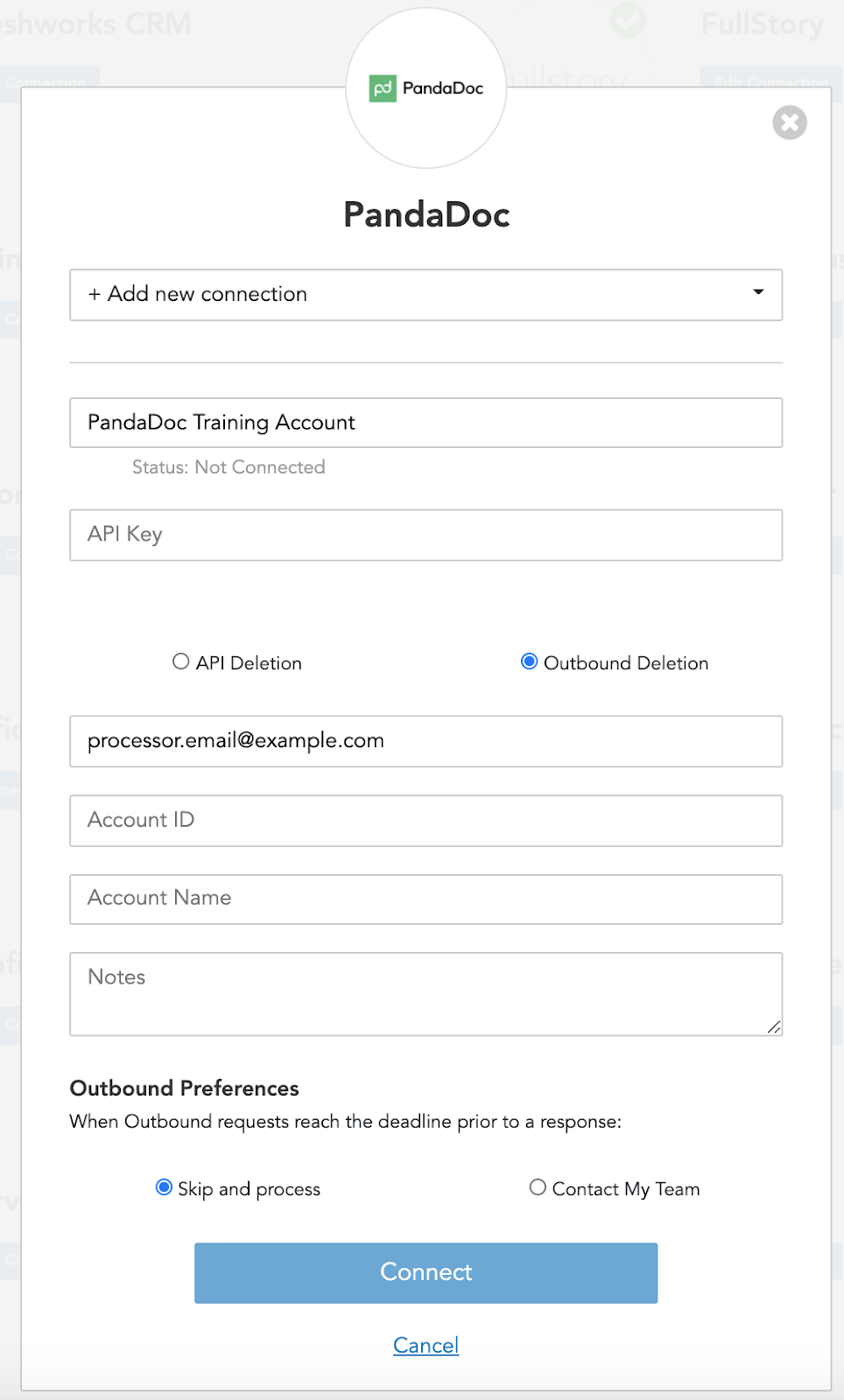
From the drop-down, select +Add New Connection.
-
Under Connection Name, enter a new name to identify this separate account (ex: PandaDoc Training Account).
-
Repeat Step 1 to get an API Key for this new account.
-
Enter API Key.
-
Select Outbound Deletion to configure deletion through the outbound process (API Deletion is not available at the moment).
-
-
In DataGrail, if you have any other integrations not connected (no green check mark) please click Connect to complete the configuration and reference the Help Docs link for instructions.
Disclaimer: The information contained in this message does not constitute as legal advice. We would advise seeking professional counsel before acting on or interpreting any material.