Integrating Splunk Enterprise
DataGrail’s Splunk Enterprise Integration provides data mapping and privacy request functionality allowing your business to do the following:
- Identify Data Subject PII stored in Splunk Enterprise for automatic fulfillment of privacy requests.
- Delete Data Subject PII stored in Splunk Enterprise for automatic fulfillment of privacy requests.
Connecting to Splunk Enterprise/Cloud
The following guides you through the process of connecting your Splunk Enterprise/Cloud deployment to the DataGrail Data Privacy Platform.
Before You Begin
-
You will need valid credentials for a Splunk user having access to the REST API
Admin credentials will work for this case but it's recommended to supply credentials of a less privileged user.
-
Host name of your REST API server
- If the API server is hosted on-premise, a publicly resolvable domain name or static IP address will be needed. In such cases, ensure your API server TLS credentials match the provided host name
- Network access to your Splunk REST API server from DataGrail's secure network
- All DataGrail access to your API server will originate from IP address 52.36.177.91. Verify that access to this address has explicitly been granted.
- The Splunk REST API is typically hosted on port 8089, ensure access to this port has also been granted
If you are using Splunk Cloud there may be additional access requirements for connecting to your REST API detailed here.
Connect
- Navigate to the DataGrail Connections page
- Choose Connect on the Splunk Enterprise tile
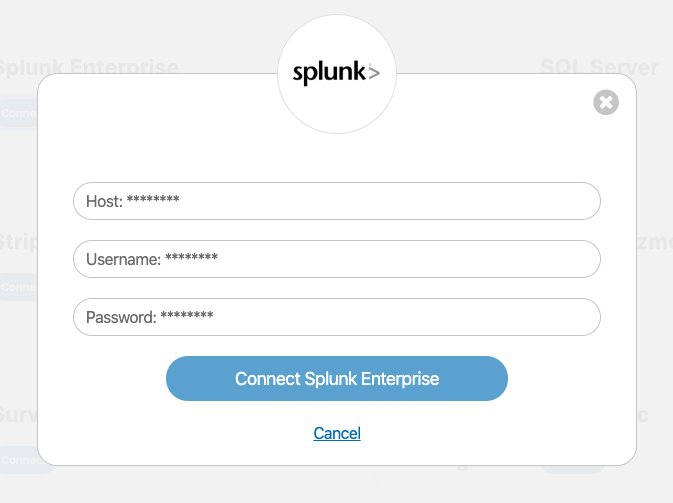
- Enter the following connection parameters
- Host - DNS name of your REST API server (e.g.,
api-example.cloud.splunk.com). - Username and Password - credentials of a Splunk user as specified above
- Host - DNS name of your REST API server (e.g.,
- If the connection is successful, you will see the following banner notification:

and a green check mark will appear next to the Splunk Enterprise integration tile.

Disclaimer: The information contained in this message does not constitute as legal advice. We would advise seeking professional counsel before acting on or interpreting any material.