Integrating Total Expert
DataGrail’s Total Expert Integration provides data mapping and privacy request functionality allowing your business to do the following:
- Identify Data Subject PII stored in Total Expert for automatic fulfillment of privacy requests.
- Delete Data Subject PII stored in Total Expert for automatic fulfillment of privacy requests.
If you do not have admin rights in Total Expert you will not be able to complete this integration. Please contact your Total Expert Admin for assistance.
Step 1: Create a >Total Expert API Key
-
Log in to the Total Expert Dev portal.
-
Go to the Credentials page.
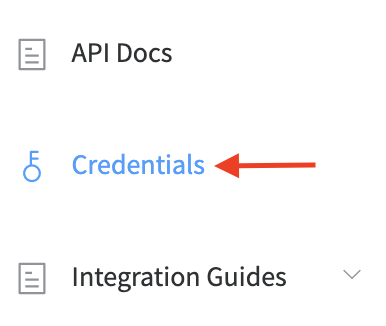
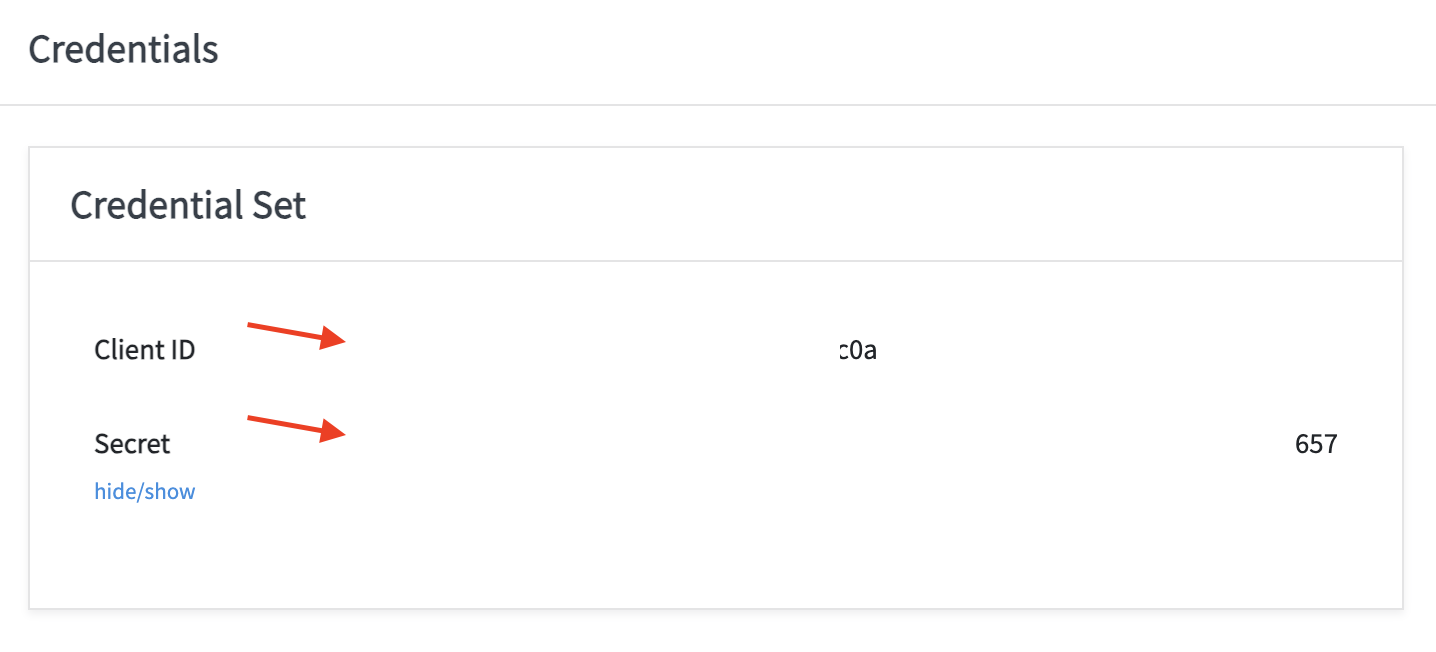
- Copy Client ID and Secret keys and store it in a secure location
Step 2: Connect Total Expert
-
In DataGrail, navigate to Integrations and select Configure New Integration to search for .
-
Click the Configure New Integration button.
-
Enter the Total Expert integration name in the search line.
-
Click the Configure button.
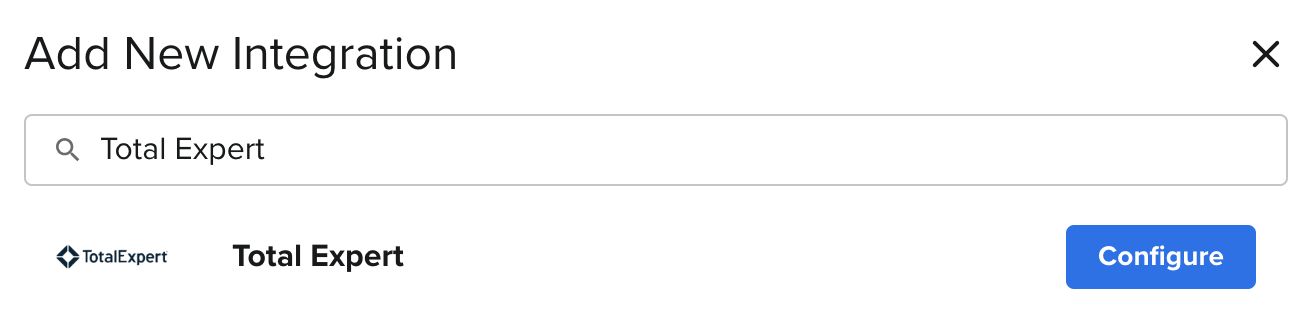
- Enter Integration Name (e.g: Total Expert)
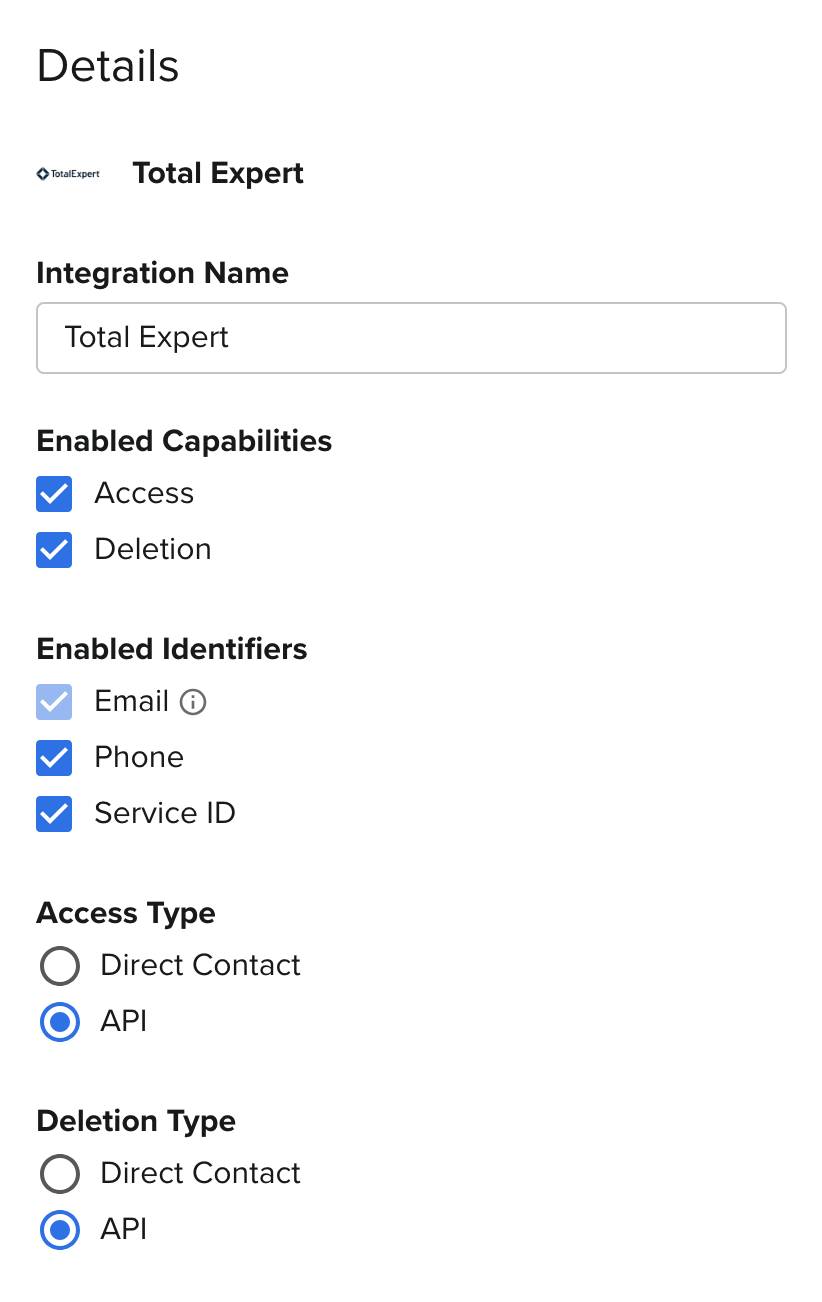
- Enter the Client ID and Client Secret obtained from Step 1.
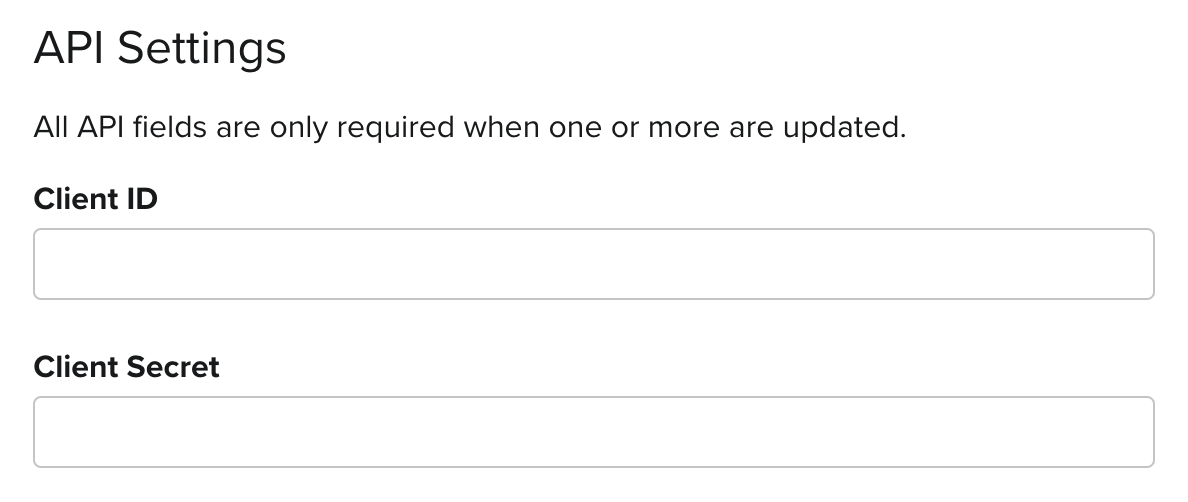
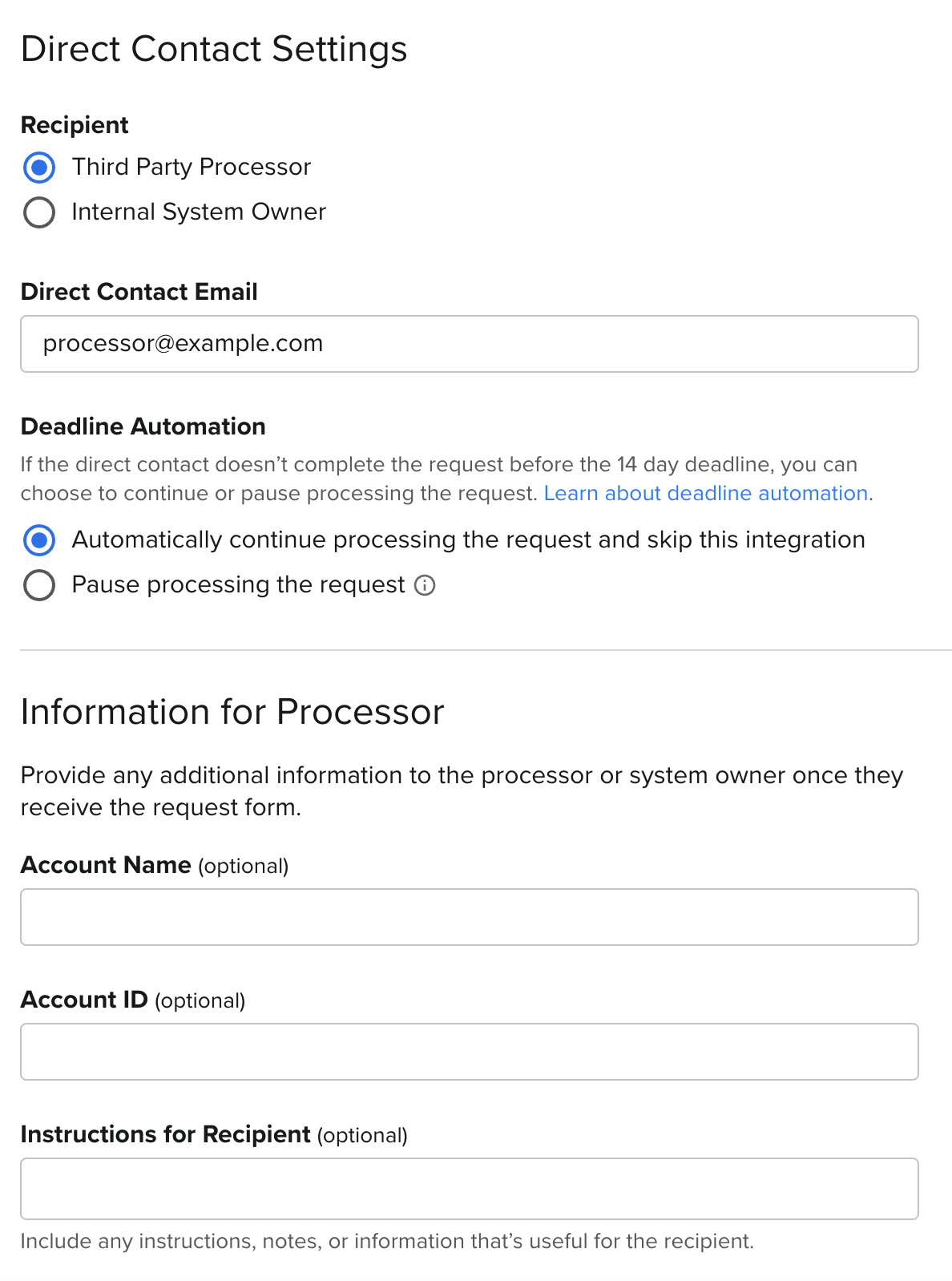
- If necessary, switch to Direct Contact capability to configure deletion through the Direct Contact process:
- Add Processor Email. This is the email that will receive the privacy request.
- Optionally, add additional information to help the processor validate the privacy request:
- Account ID: your Account ID in the system
- Account Name: your Account Name in the system
- Notes: any notes that you'd like to send to the processor regarding the privacy request.
-
Click Configure Integration.
-
Please note, that DataGrail Total Expert OAuth integration requires the following OAuth scopes:
leadInteraction, leadSurveyInteraction, getUsers
For more information on API endpoints/specifications and DataGrail functionality, please view our API Integration Documentation.
Disclaimer: The information contained in this message does not constitute as legal advice. We would advise seeking professional counsel before acting on or interpreting any material.