Toll-Free Phone Number Intake
If your company utilizes the DataGrail-enabled toll-free number to intake privacy requests, all calls to this toll-free number will create a privacy request in DataGrail.
Once a data subject calls the toll-free number after the call connects, a default voicemail is played asking them to state their name, email, and the type of privacy request they are requesting. Once the voicemail completes, a recording begins to capture the data subject’s privacy request details (name, email, etc.).
Processing Phone Requests
All privacy requests submitted via toll-free number can be viewed in the Request Queue. All recorded details from the data subject requesters call will be available via an uploaded file on the associated privacy request.
Privacy requests submitted via the toll-free number will be labeled "Phone" under Request Information in the queue.
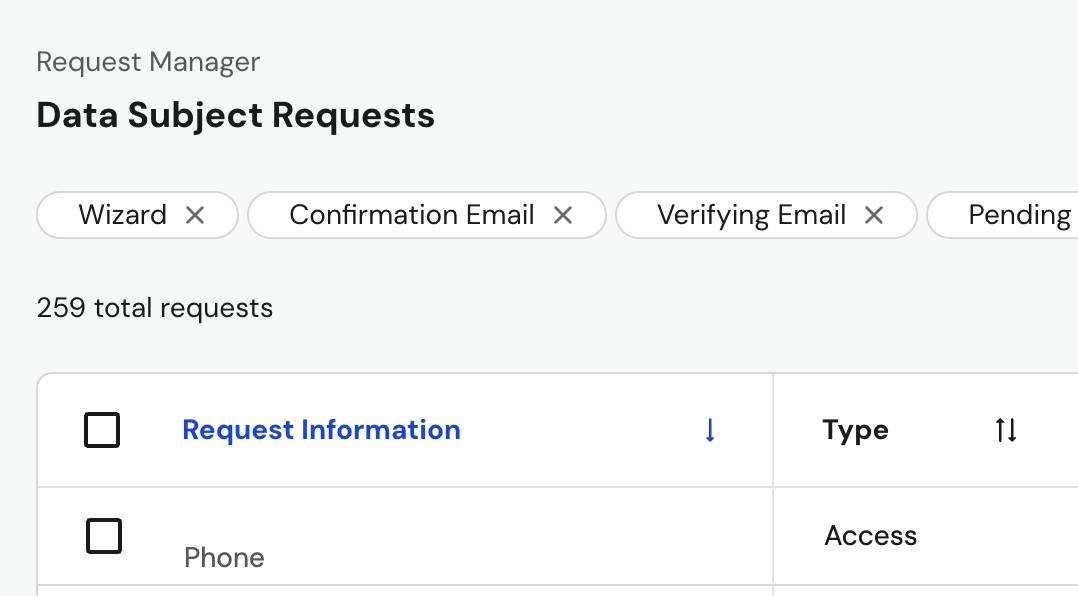
Immediately after a call ends, the request briefly shows a status of Received (DG Pending) while DataGrail processes the call's transcript and determines the request's details. You can't select into the request while it's in this status. This typically takes about a minute, after which the status updates to the appropriate next stage and the request becomes actionable.
DataGrail provides a transcript and audio recording of the message within the request. See Voicemail Details below to review the transcript or download these files at any stage of the request.
In the situation where a call ends before the recorded message is read (e.g. the data subject hangs up or attempts to state their information while the message is being read), no recording or transcript will be available for this request and would automatically close as spam.
Phone Intake Settings
Select Settings > Phone Intake to view your account's toll-free number and voicemail message, and to configure Vera call classification.
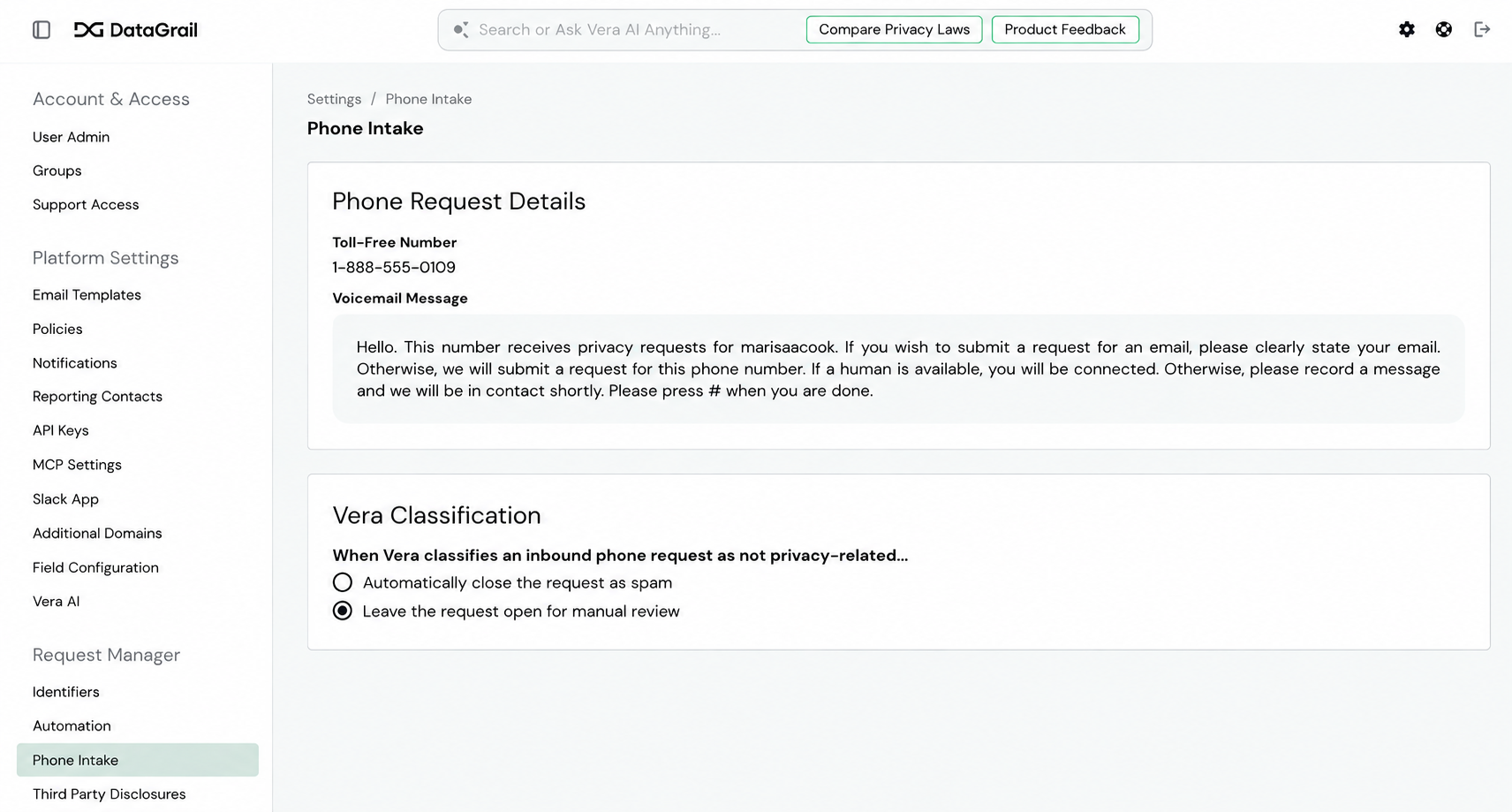
Toll-Free Number and Voicemail Message
The current default recorded message for a toll-free number that is configured with DataGrail is the following:
“Hello. This number receives privacy requests for
DataGrail Customer Name. If you wish to submit a privacy request, please clearly state your email, location, and type of request (access or deletion) in a recorded message after the tone. Please press # when you are done.”
Here, the DataGrail Customer Name field will be replaced by your company’s name.
The default recorded message can be customized by reaching out to support@datagrail.io.
Vera Call Classification
If your account has Vera and Phone Intake enabled, Vera automatically reviews each call's transcript to determine whether it's a genuine privacy request or unrelated to privacy rights (for example, spam or a wrong number). Vera's classification is saved with the request.
Choose what happens when Vera classifies a call as spam:
- Automatically close the request as spam — the request closes automatically.
- Leave the request open for manual review (default) — the request stays open in the Request Queue with an Unclassified request type, so you can review the audio and transcript in Voicemail Details before deciding how to proceed.
If a call ends before the data subject leaves a message, DataGrail automatically closes the request as spam regardless of this setting.
Voicemail Details
Every request submitted through toll-free phone intake includes a Voicemail section on the request's ticket page. Select this section to view:
- Transcript — an inline view of the caller's message. While DataGrail is still processing the call, this area shows a status message instead of the transcript.
- AI classification note — if Vera Call Classification is enabled for your account, a note appears below the transcript explaining how Vera classified the call (for example, "Vera identified this request as Access, based on the phone call transcript").
- Attachments — once processing is complete, select Audio or Transcript to download the call's audio recording or transcript file.
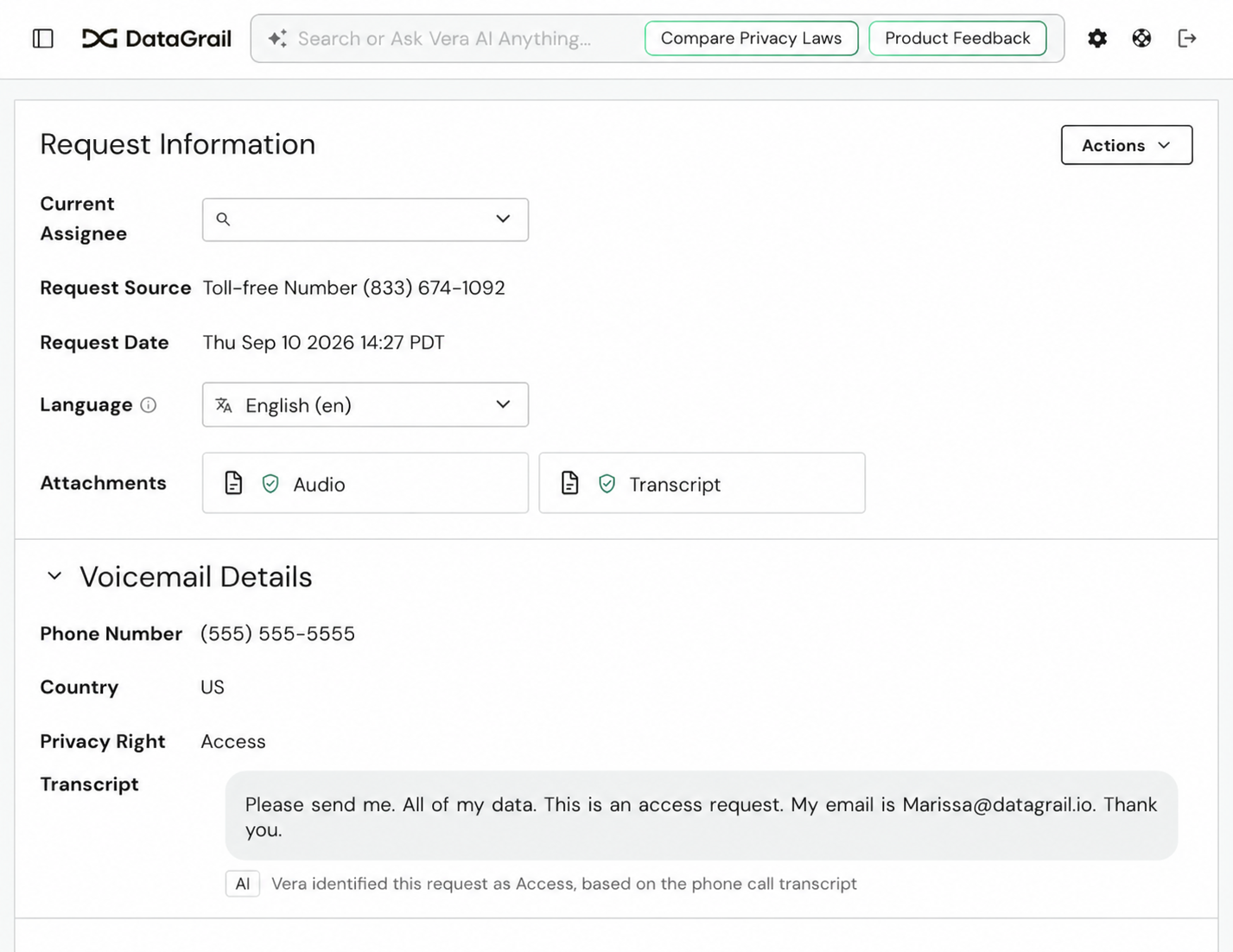
These same details are also available within the Voicemail section on the request's details page.
Disclaimer: The information contained in this message does not constitute as legal advice. We would advise seeking professional counsel before acting on or interpreting any material.